disc builder · V1.2
Build your own Tiger Road disc for the Dreamcast
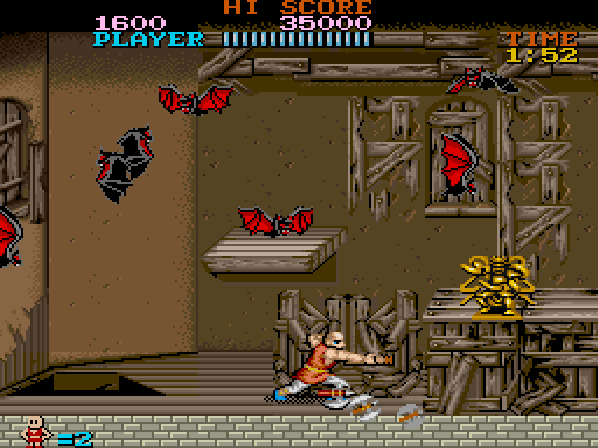
I can't share Capcom's ROMs, so there's no disc to download. This page builds the Dreamcast disc image from the arcade ROM sets you own. Everything happens in your browser: your files are never uploaded anywhere.
1 Add your arcade ROMs
Both MAME ROM sets are needed, as .zip files: split (two files) or merged (toramich inside tigeroad.zip). Every file is checked against its expected checksum.
- tigeroad.zip · Tiger Road, World/USrequired
- toramich.zip · Tora-he no Michi, Japan: Japanese text, logo and voicesrequired
2 Format
GDI: comes as a folder ready to copy to your GDEMU SD card, and also plays in Flycast.
3 Build
The music on the disc is played from CD audio tracks. They can't be shared either, so your browser recreates them by emulating the arcade's two YM2203 sound chips, channel by channel, and mixing them in stereo. This takes two or three minutes on a recent computer: keep this tab open.
- Checking your ROM files
- Building the program and the texts
- Generating music tracks
- Writing the disc image
A .zip with the folder for your GDEMU SD card: disc.gdi and its tracks.
Questions
Where do I get the ROMs?
From your own arcade board or a set you legally own. I can't help with that.
What do I need to play it?
A Dreamcast with a GDEMU or another drive emulator that loads GDI images, or Flycast. It can't be burned to a CD-R.
Which browsers work?
Recent versions of Chrome, Edge, Firefox and Safari on a computer. The disc takes a few hundred MB of memory while it's being built.
Credits
The cover shown in the GDEMU menu uses artwork by Capcom, taken from the Capcom wiki.
Something went wrong
If a file isn't found, it's probably from another version of the game or a different MAME set. Tell me on X which one you have.